
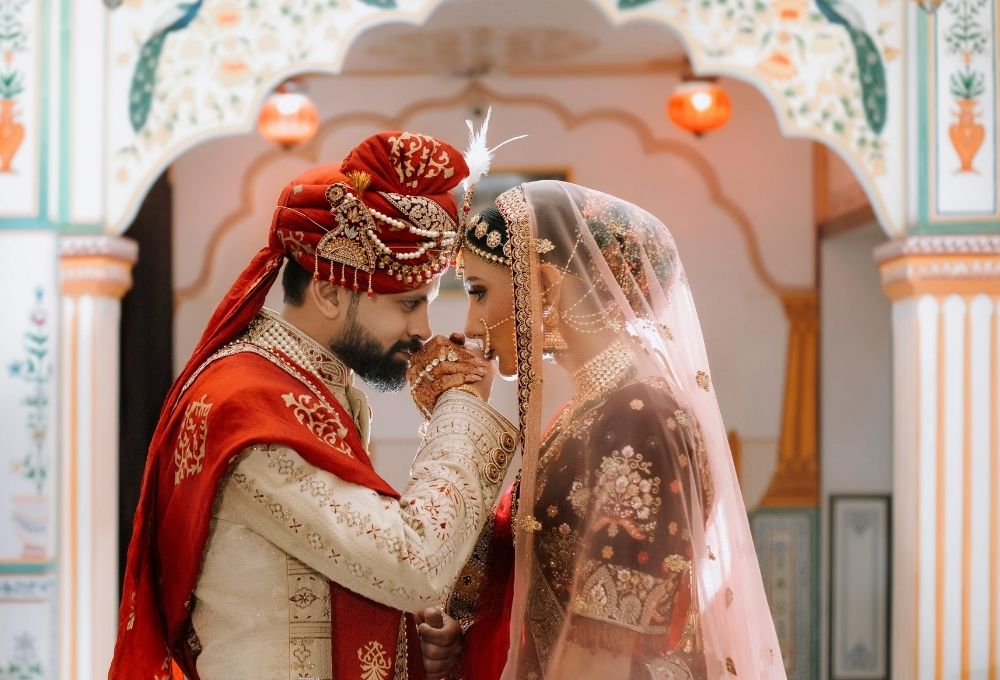
Wedding photo sharing where every guest finds themselves.
A wedding produces thousands of photos across several days. With VeusZ, each guest takes one selfie and gets every photo they appear in — from the mehndi to the vidaai — on WhatsApp, often while the wedding is still on.
The problem with sharing wedding photos
After a wedding, the photographer usually shares one big Google Drive folder or sends photos on WhatsApp groups. Guests scroll through thousands of images to find the few they are in, the family spends days forwarding photos to relatives, and the studio's name disappears from every photo that gets shared.
VeusZ replaces the big folder with face search. Every guest sees only their own photos, the family gets every photo in one dashboard, and every gallery carries the studio's branding.
How it works at a wedding
- 1
Before the wedding
Send a digital invite with the function schedule. Guests RSVP and get a QR entry pass.
- 2
At the venue
Place the VeusZ QR poster at the entrance and on the tables. Scan passes at the gate.
- 3
During each function
Photos upload live from the photographer's laptop and appear on the live photo wall.
- 4
Same night
Guests take a selfie and their photos arrive on WhatsApp. The couple starts picking album favourites.
Wedding features
Selfie photo search
Guests take one selfie in the browser and see every photo they appear in. Face matching uses the ArcFace model and checks every face in every photo, including small faces in group shots. No app to install.
WhatsApp delivery
Matched photos are sent to the guest's WhatsApp. Guests who opt in get new photos automatically as the photographer uploads them.
Video face search
Upload event videos and VeusZ finds the moments each guest appears in, so they can jump straight to their part of a long film.
Album selection
Couples and hosts mark their favourite photos for the album from their phone, and the studio sees the final selection in one list.
Print orders
Guests order prints from their gallery and pay the studio directly by UPI. The studio confirms the payment and downloads the files for printing.
Digital invites and RSVP
Send a digital invitation with the function schedule. Guests RSVP in one tap and receive a personal QR entry pass.
QR check-in
Scan guest passes at the gate from any phone to mark arrivals, with a live count of who has checked in.
Function-wise schedule
Split multi-day events into functions such as mehndi, sangeet, wedding and reception. Photos and guests are organised by function.
Live photo wall
Show new photos on a projector or LED screen at the venue as they are uploaded.
Host dashboard
The family or organiser gets a private dashboard with every photo, the RSVP list and the album selection, without a studio login.
Guest list import and groups
Paste a guest list from Excel or Google Sheets. Group guests by family and side, mark VIPs, record meal preferences, and export everything as CSV.
Rooms and travel
Allocate hotel rooms, track flight and train arrivals on a day-by-day board, and assign pickup drivers. Guests see their room and driver on their pass.
Seating planner
Add tables for each function and seat guests with two taps. Seats are counted by the people in each RSVP, and each guest sees their table on their pass.
Shagun by UPI
Guests send shagun with a blessing straight to the couple's UPI ID from any UPI app. The couple sees every gift in their dashboard.
Digital guestbook
Guests leave written wishes, voice notes, photos and short videos for the couple, with optional approval before they appear.
Wedding questions
How do wedding guests get their photos with VeusZ?
Guests scan the QR code on the welcome board or open the link in the invite, take a selfie, and see every wedding photo they appear in. The photos are also sent to their WhatsApp.
Can we share photos function by function?
Yes. Each function — mehndi, sangeet, wedding, reception — is its own section, so guests can see photos from the functions they attended.
Will guests see the couple's private photos?
No. By default each guest sees only the photos they appear in. The couple and family see everything in the host dashboard, and the studio controls whether a full gallery is open.
Can the couple choose photos for the album?
Yes. The couple marks favourites from their phone and the studio receives the final album selection in one list.
Do relatives abroad need anything special?
No. The link works from any country on any phone. Relatives who couldn't attend can still find photos they appear in from earlier functions.
Try VeusZ on your next wedding.
Set up your first event in five minutes. The free trial includes WhatsApp delivery and live upload.